Blender brand colors
The Blender Foundation publishes the logo colors beside its logo kit: an orange and a blue, each given as a Pantone and a hex, and white. The page names neither color beyond its Pantone number, so the names below are descriptive rather than official.
Official site: blender.org
Palette image
Every swatch on this page, as one image you can save or share.
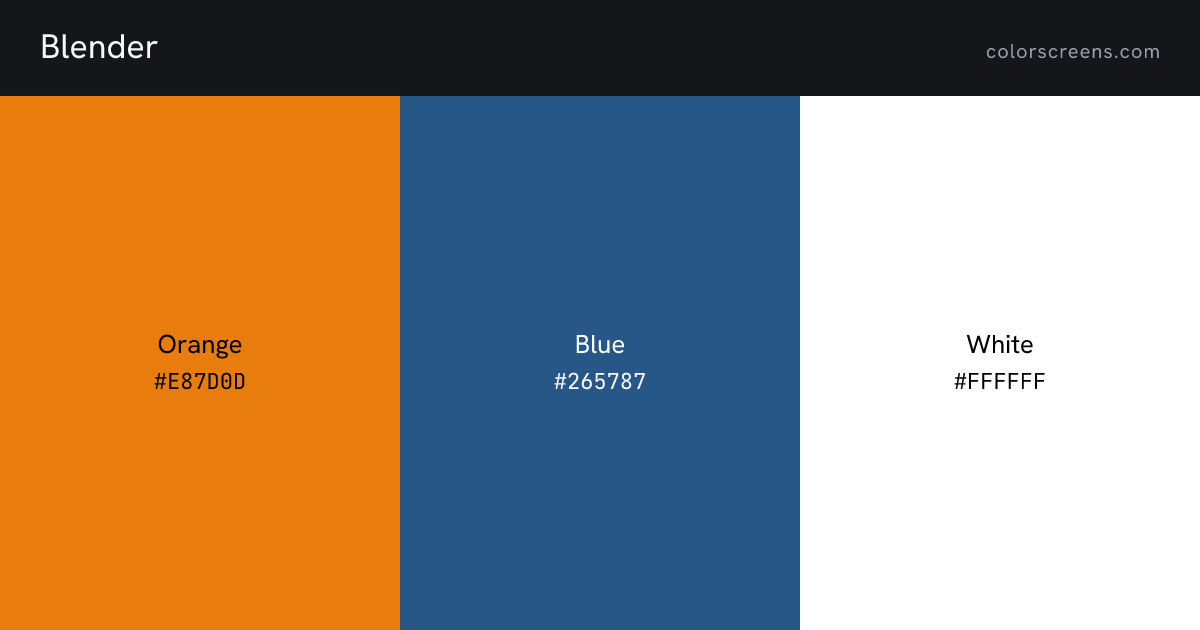
Every color
| Color | Role | Hex | RGB | HSL | Pantone | CMYK | Preview |
|---|---|---|---|---|---|---|---|
| Orange | primary | #E87D0D | 232, 125, 13 | 31, 89%, 48% | 716 | -- | Fill screen |
| Blue | secondary | #265787 | 38, 87, 135 | 210, 56%, 34% | 647 | -- | Fill screen |
| White | neutral light | #FFFFFF | 255, 255, 255 | 0, 0%, 100% | -- | -- | Fill screen |
Blender against your project
Contrast pairs
Orange passes AA for body text on black, at 7.4 to 1.
Of 18 ordered pairs in this palette, 10 clear 4.5 to 1 for body text and 10 clear 3 to 1 for large text. Row is the text color, column is the background.
| Text color | Orange | Blue | White | White | Black |
|---|---|---|---|---|---|
| Orange | 2.6Orange on Blue, fails AA for body text | 2.9Orange on White, fails AA for body text | 2.9Orange on White, fails AA for body text | 7.4Orange on Black, passes AA for body text | |
| Blue | 2.6Blue on Orange, fails AA for body text | 7.5Blue on White, passes AA for body text | 7.5Blue on White, passes AA for body text | 2.8Blue on Black, fails AA for body text | |
| White | 2.9White on Orange, fails AA for body text | 7.5White on Blue, passes AA for body text | 21.0White on Black, passes AA for body text | ||
| White | 2.9White on Orange, fails AA for body text | 7.5White on Blue, passes AA for body text | 21.0White on Black, passes AA for body text | ||
| Black | 7.4Black on Orange, passes AA for body text | 2.8Black on Blue, fails AA for body text | 21.0Black on White, passes AA for body text | 21.0Black on White, passes AA for body text |
Sources
- Every color on this page: https://www.blender.org/about/logo/
Other technology
Share